Creating and Assign a Collector in Collect 365
By Professional Advantage Thursday, July 16, 2020
Create and Assign a Collector
Step 1
- On the Home Page, click Search
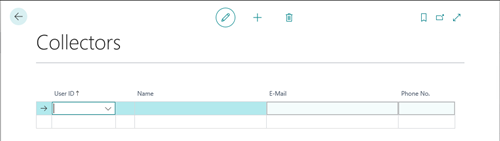
- Search for Collectors
- Click on the Collectrs – Administration page
- This will open the Collectors setup window where User ID’s are associated with Collectors
Step 2
- Use the dropdown under User ID to select your preferred user
- Enter your E-Mail
- Exit the Collectors page
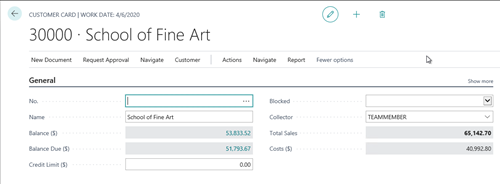
- On the Home Page, click on the Sales dropdown
- Select Customers
- Click on your desired Customer
- Collector = the preferred user in step 5
- Exit the Customer window
CATEGORIES:
TAGS: